




10 ChatGPT examples that show its capabilities and limitations in 2026
ChatGPT can do a lot more than answer trivia questions. Marketers, writers, and business owners use it every day to draft content, brainstorm ideas, write emails, and automate repetitive tasks.
But not every use case delivers the same value, and the gap between a good prompt and a bad one can mean the difference between a usable output and wasted time.
This guide from WebFX breaks down 10 real ChatGPT examples across writing, marketing, research, and email, each with ready-to-use prompts so you can see exactly what works, what doesn’t, and how to get the most out of it.
7 ChatGPT examples showcasing its capabilities
Let’s start by covering the things ChatGPT is good at. Here are seven ChatGPT examples that show how it can benefit your marketing efforts.
1. Assist with blog post outlines
One of the first things ChatGPT can do for you is help you write outlines for your blog posts and articles.
In this example, ChatGPT was asked to generate an outline of a blog post about the benefits of partnering with a financial consultant. The prompt also specified:
- The desired length of the outline.
- The required number of sections.
- The nature of the business.
ChatGPT did a relatively good job at following instructions. This outline works as a good starting point for a blog post — it sets up a basic structure for the page and lists a few different benefits of partnering with a financial consultant, including the expertise and personalized solutions that a consultant would provide.
The outline is a good start, but it needs human editing. At the very least, it could provide some ideas for potential headers.
You can use ChatGPT in the same way when you approach your own blog posts. Make sure you’re still relying primarily on human writers, but consider using AI to assist those writers and generate suggestions for them.
Sample ChatGPT prompts to generate blog post outlines
- In [number of words] words, give me an outline for a blog post entitled [blog post working title]. Include an introduction, [number of sections] main sections, and a conclusion. This is for a [nature and location of the business].
- Create an outline for a blog post entitled [blog post working title]. This is for a [nature and location of the business]. The primary keyword is [keyword].
2. Enhance headlines
Another way ChatGPT can benefit your writing is by assisting with headline generation. These headlines might be email subject lines, blog post title tags, or ad headlines.
In this example, ChatGPT was asked to create marketing email subject lines for a travel agency’s summer promo. The AI chatbot was given context with details about the special offers and different customer segments that will receive the email.
It’s standard practice to write clear prompts that also provide context to get better output from an AI tool.
Overall, this example shows that ChatGPT can be great for help with email subject line generation. While the headlines offered could use a couple of human tweaks, it’s a great start that can speed up your process.
Sample ChatGPT prompts to generate headlines
- For email subject lines: Generate subject lines for a marketing email for a [business]. The email is about [briefly describe the email content: promotional, abandoned carts, or surveys]. Create options for my different customer segments: [customer segments].
- For article headlines: Give me headline suggestions for a blog post about [topic]. This will be published on a website for a [business or industry]. Here’s the blog post’s rough outline and key messages: [outline and key marketing messages].
3. Provide basic info on topics
If researching a topic that’s new to you, ChatGPT can help provide synthesized information on the topic.
In this ChatGPT example, the prompt asked for information about a brand that recently opened nearby.
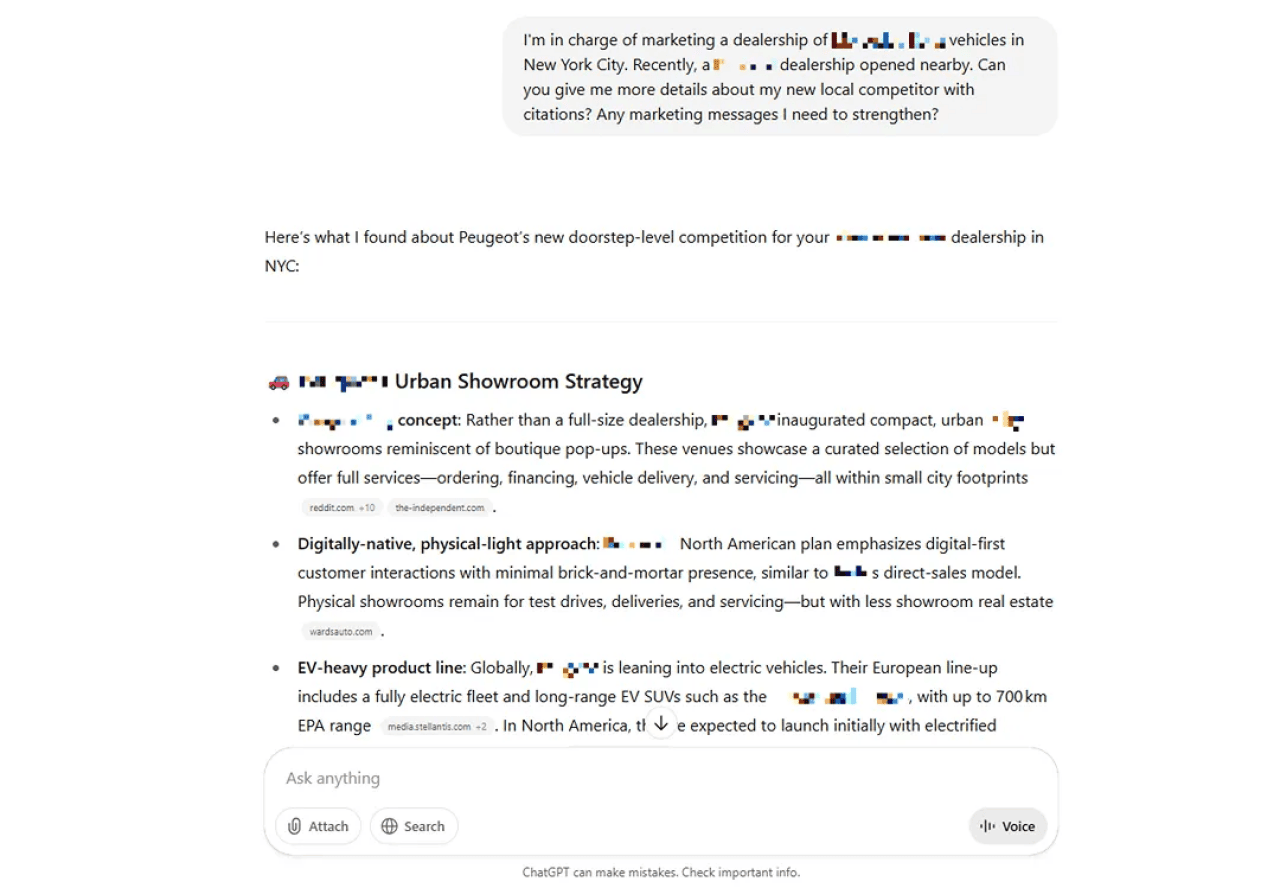
ChatGPT neatly summarized the competitor’s showroom strategy. Because it was asked for citations, it also provided links for fact-checking its summary.
This ChatGPT example also provided other details, including the new competitor’s strengths and weaknesses. It was also asked to offer starting marketing messages, and it provided a list.
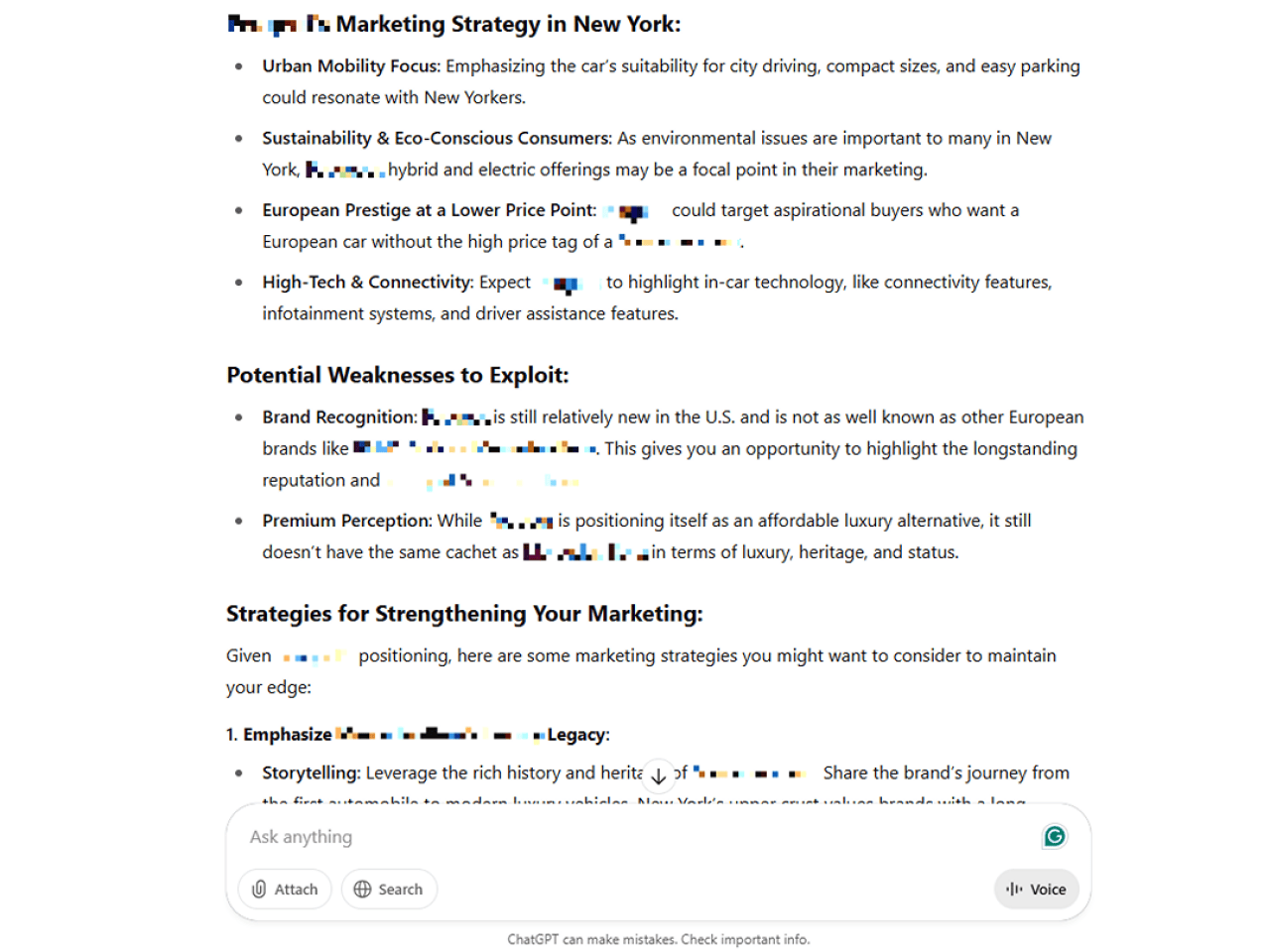
Note that information from ChatGPT and other AI tools is a good starting point. Always perform further research using search engines and checking citations and legitimate websites.
Sample ChatGPT prompts for research
- For researching competitors: Give me more information about [competitor] with citations. What are my new competitor’s strengths and weaknesses? What are the opportunities for my business? My business is [nature and location of your business].
- For researching trends: Provide me with more information about [market trends] in the [your industry] industry with citations.
4. Replicate certain tones and voices
In addition to generating information, you can use ChatGPT to help you nail down the right tone.
In this example, ChatGPT was asked to come up with a social media post that advertises a new line of clothing. The prompt specified that it should use a voice that sounded informal while still remaining professional.
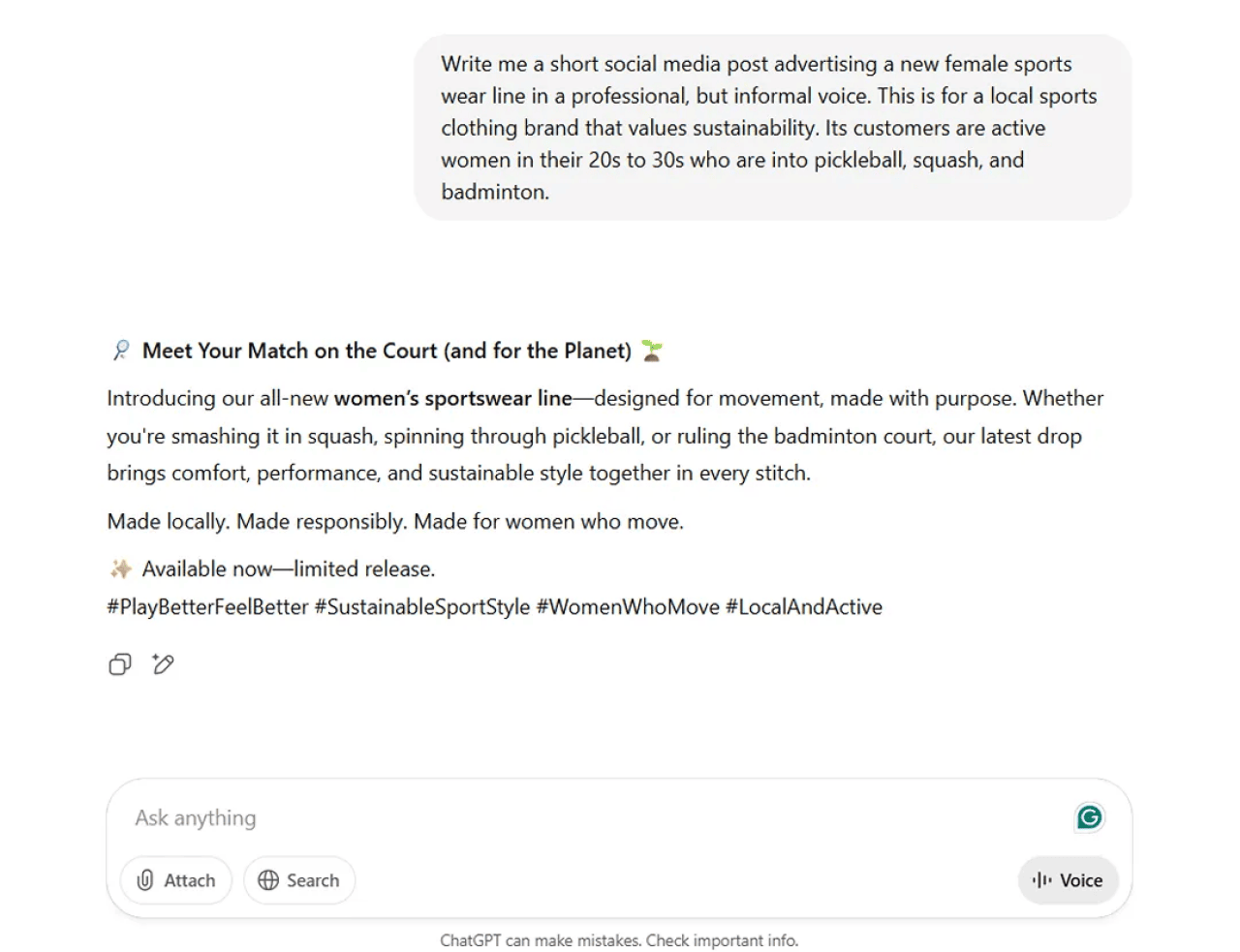
ChatGPT wrote a generic social media post, throwing in generic words that could be related to the sports mentioned. But the aim wasn’t to plan on using the post itself.
Instead, the goal in generating this text was to get a feel for that “professional, but informal voice.” And as far as voice goes, ChatGPT definitely delivered.
Taking after this ChatGPT example, you can also prompt it to respond with a tone that you’d like it to adopt. For example, if your brand is playful and cheeky, indicate it in your prompt.
Sample ChatGPT prompts to replicate tones
- For generating a copy in a certain tone: I’m in the business of [industry or business]. Write a social media post for [product or service] on [social media platform]. Use a [indicate your preferred tone: friendly, informal, or professional]. My customers are [briefly describe your ideal customer profile].
- For revising a copy using a different tone: Rewrite this text in a more [specify your tone] manner: [original copy]. I’m in the business of [industry or business], and my customers are [describe your ideal customer profile].
5. Summarize research papers or business documents
Another excellent capability of ChatGPT is summarizing long documents and technical papers. In this example, the AI chatbot was asked to summarize the key points of a report.


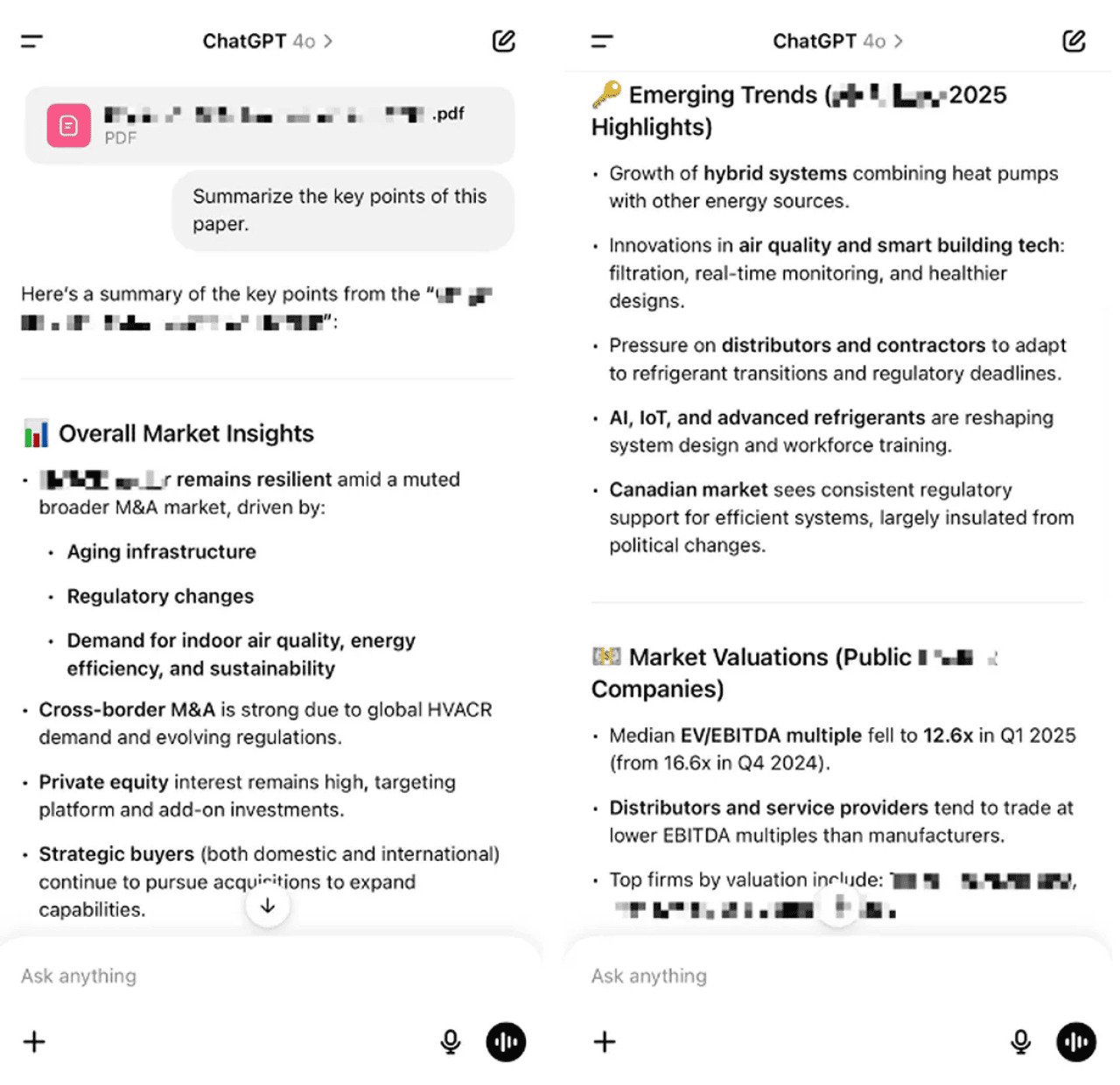
It was given context by specifying why the statistics and trends are needed. Of course, an AI tool’s summary is not a replacement for reviewing the document.
With the list of key points you have, you don’t start from scratch when reviewing a document.
Sample ChatGPT prompts to summarize research papers
- For getting key points from a paper: Summarize the key points of this research paper on [research Topic]. I’m in the business of [nature and location of your business].
- For drawing out statistics and trends from a paper: List the key statistics and trends mentioned in this paper on the topic of [research topic].
6. Brainstorm campaign ideas
When you’re stuck in the early ideation phase of a campaign, ChatGPT can generate a volume of concepts fast enough to break through creative blocks. The trick is giving it enough constraints that the ideas come back relevant instead of generic.
In this example, ChatGPT was asked to brainstorm five marketing campaign concepts for a midsize HVAC company launching a spring maintenance promotion. It was given these details: the audience (homeowners in suburban markets), the offer (discounted seasonal tune-ups), and the channels (email, paid social, local SEO).
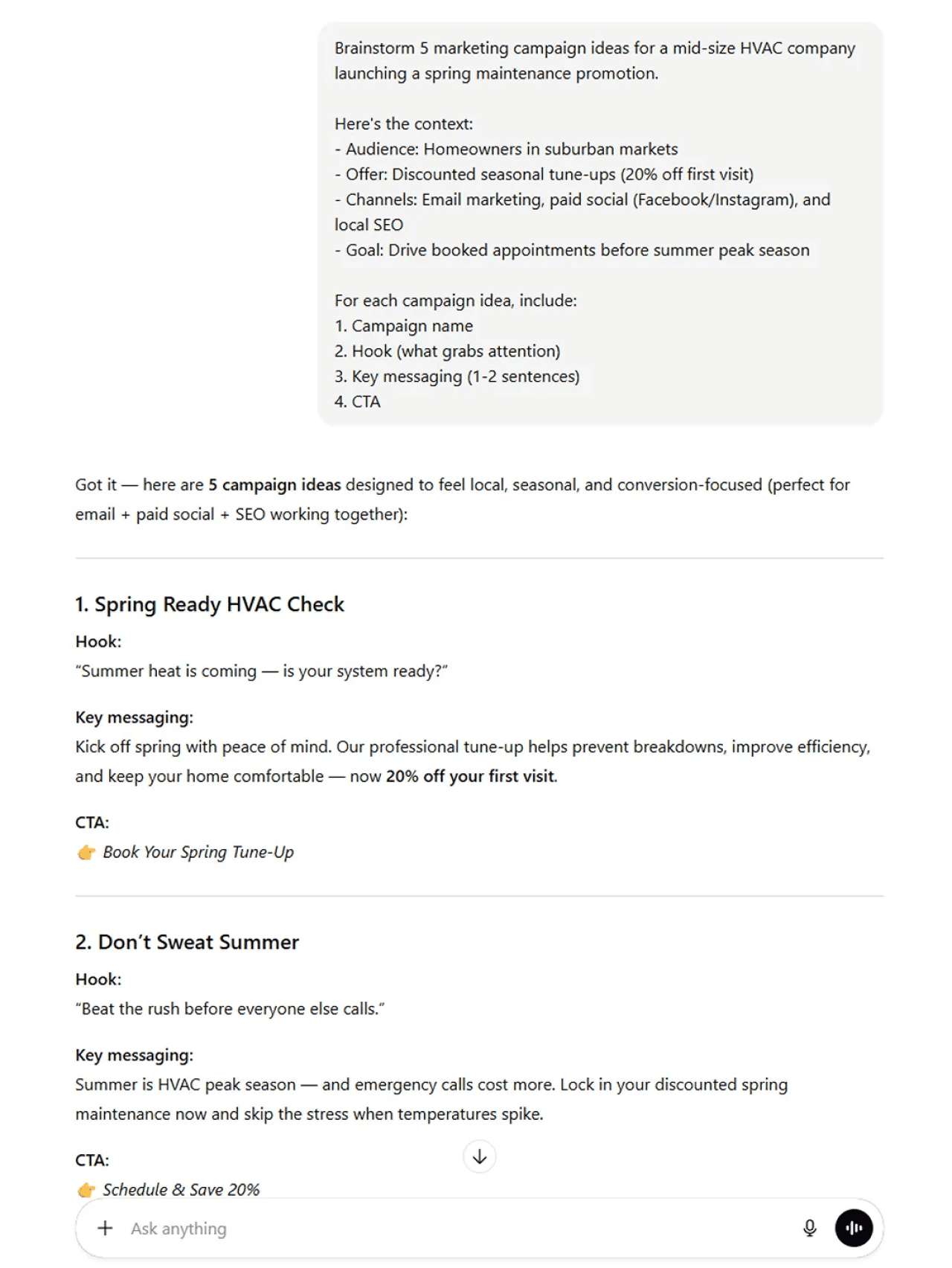
The ideas included a ‘Spring Ready HVAC Check’ campaign with a seasonal urgency hook, and a ‘Don’t Sweat Summer’ angle focused on beating the peak-season rush. Not all five were winners, but two were strong enough to develop further, and the others sparked angles that hadn’t been considered.
The value here isn’t that ChatGPT gives you a finished campaign. It gives you raw material to react to, which is often faster than starting from zero.
Sample ChatGPT prompts to brainstorm campaign ideas
- For generating full campaign concepts: Brainstorm five marketing campaign ideas for a [type of business] launching [product/offer]. The target audience is [audience]. We plan to use [channels]. Include a hook, key messaging, and a CTA for each.
- For finding creative angles: Give me three creative campaign angles for promoting [service] during [season/event]. The audience is [ICP details]. Focus on ideas that stand out from typical industry marketing.
7. Draft and refine business emails
Business emails eat up more time than most people realize. ChatGPT can draft cold outreach, follow-ups, meeting recaps, internal announcements, and other professional messages in seconds, giving you a starting point that just needs your personal touch.
In this example, ChatGPT was asked to draft a follow-up email to a prospect who attended a webinar but didn’t book a demo. I specified the tone (helpful, not pushy), the key value prop to mention, and the CTA (book a 15-minute call).
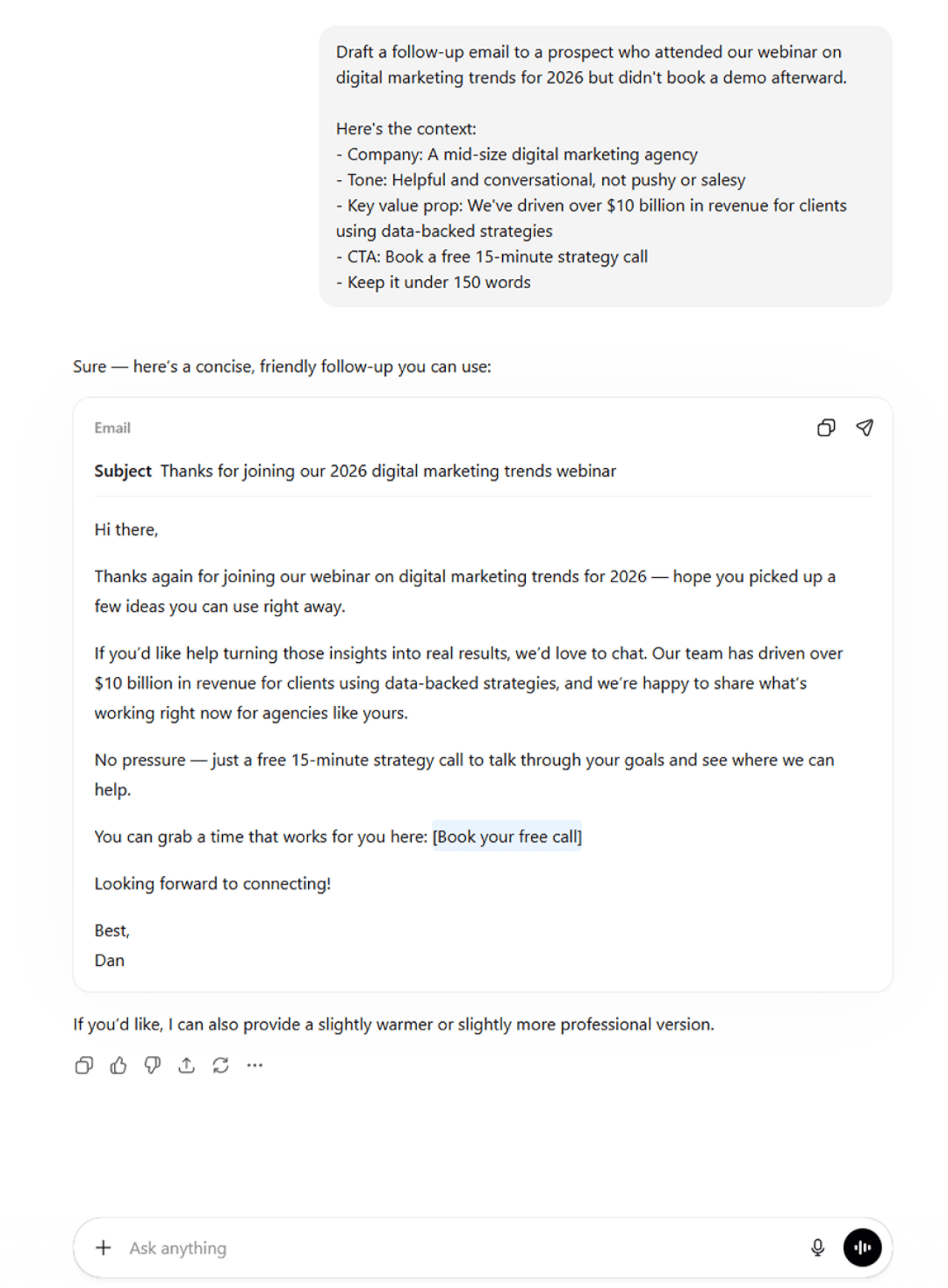
The result hit the right balance. It opened with a reference to the webinar, mentioned a relevant benefit without overselling, and closed with a low-commitment CTA. A few tweaks to personalize it, and it was ready to send.
You can also use ChatGPT to refine emails you’ve already written. Paste in your draft and ask it to tighten the copy, adjust the tone, or make it more concise. This is especially useful for sensitive messages where word choice matters.
Sample ChatGPT prompts to draft business emails
- For drafting follow-ups: Draft a follow-up email to a prospect who [describe interaction]. Keep the tone [describe tone]. Mention [key value prop] and end with a CTA to [desired action]. Keep it under 150 words.
- For refining existing drafts: Rewrite this email to be more concise and professional. Keep the main message but cut any filler. Here’s the draft: [paste email].
3 ChatGPT examples showcasing its limitations
As advanced as ChatGPT is, it’s still riddled with issues — some of which are fundamentally baked into the way the tool works.
Let’s go through each one.
1. Inaccurate information
AI tools like ChatGPT are prone to hallucinations. In AI speak, hallucinations are incorrect, inaccurate, or biased output generated by these tools. Training data, limited logical reasoning, or discriminatory data can cause AI systems to hallucinate.
In this ChatGPT example, it was asked for animated movies that feature a Jack Russell terrier. The second item on the list is incorrect, listing a hamster as one. Upon fact-checking, Rhino is indeed a hamster and not a dog of a specific breed.
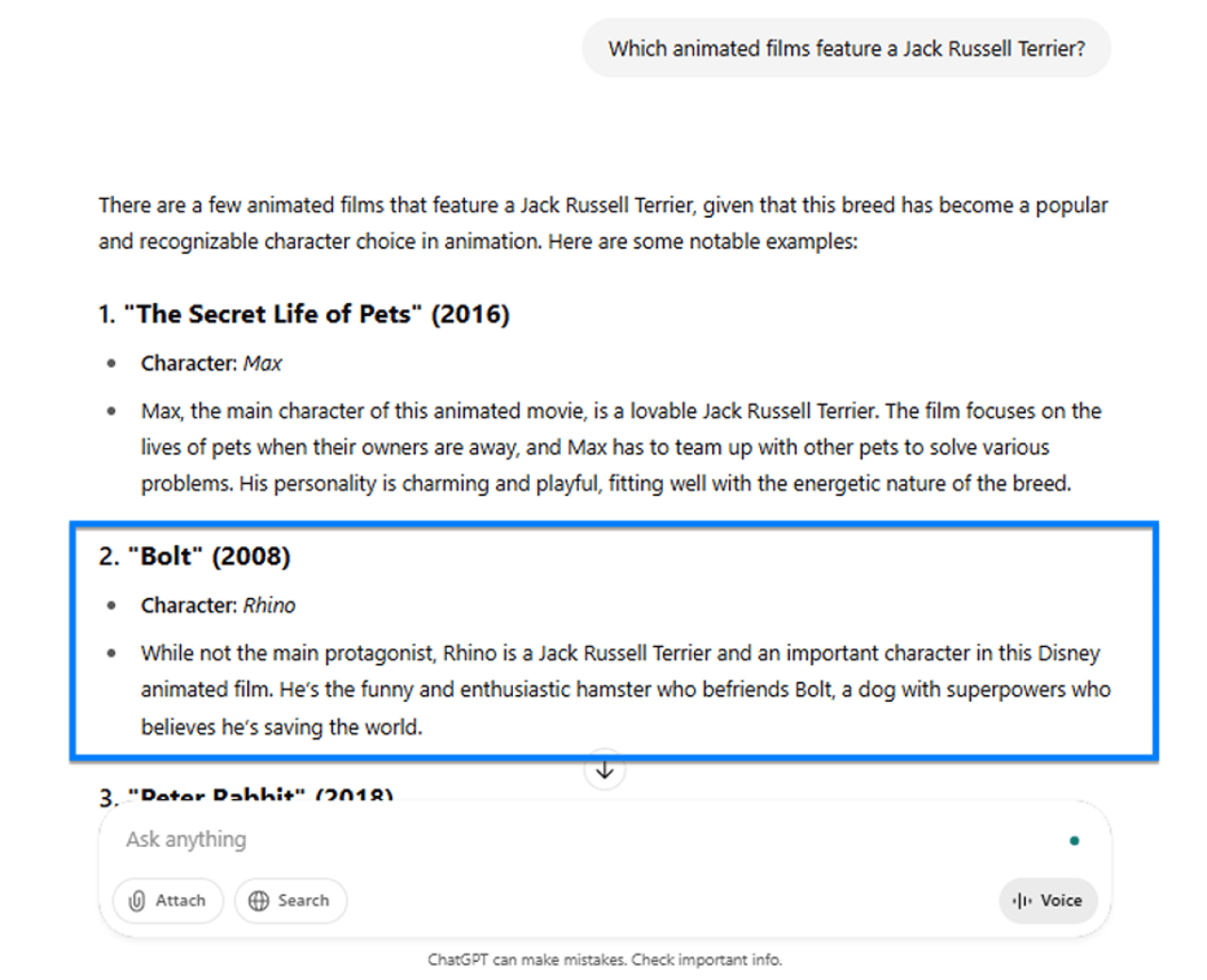
Because ChatGPT is a general-purpose AI tool, it is trained with massive amounts of data that can mix up these small details. In fact, it has identified Rhino as a hamster in its second sentence, but added it to the list anyway.
Addressing this ChatGPT limitation: Double-checking ChatGPT’s results against trustworthy websites remains a necessary step. In this case, a quick search for “Bolt movie characters” revealed the error.
2. Biased responses
Like most AI tools, ChatGPT may respond with unfair or discriminatory statements. It goes to show that the quality of training data and algorithms directly impacts an AI system’s output.
In this ChatGPT example, it was asked for tips on how to improve one’s diet for a park’s blog. The first tip makes sense, but it recommended foods that may not be accessible to people from a lower-income household, discriminating against certain groups in the process.
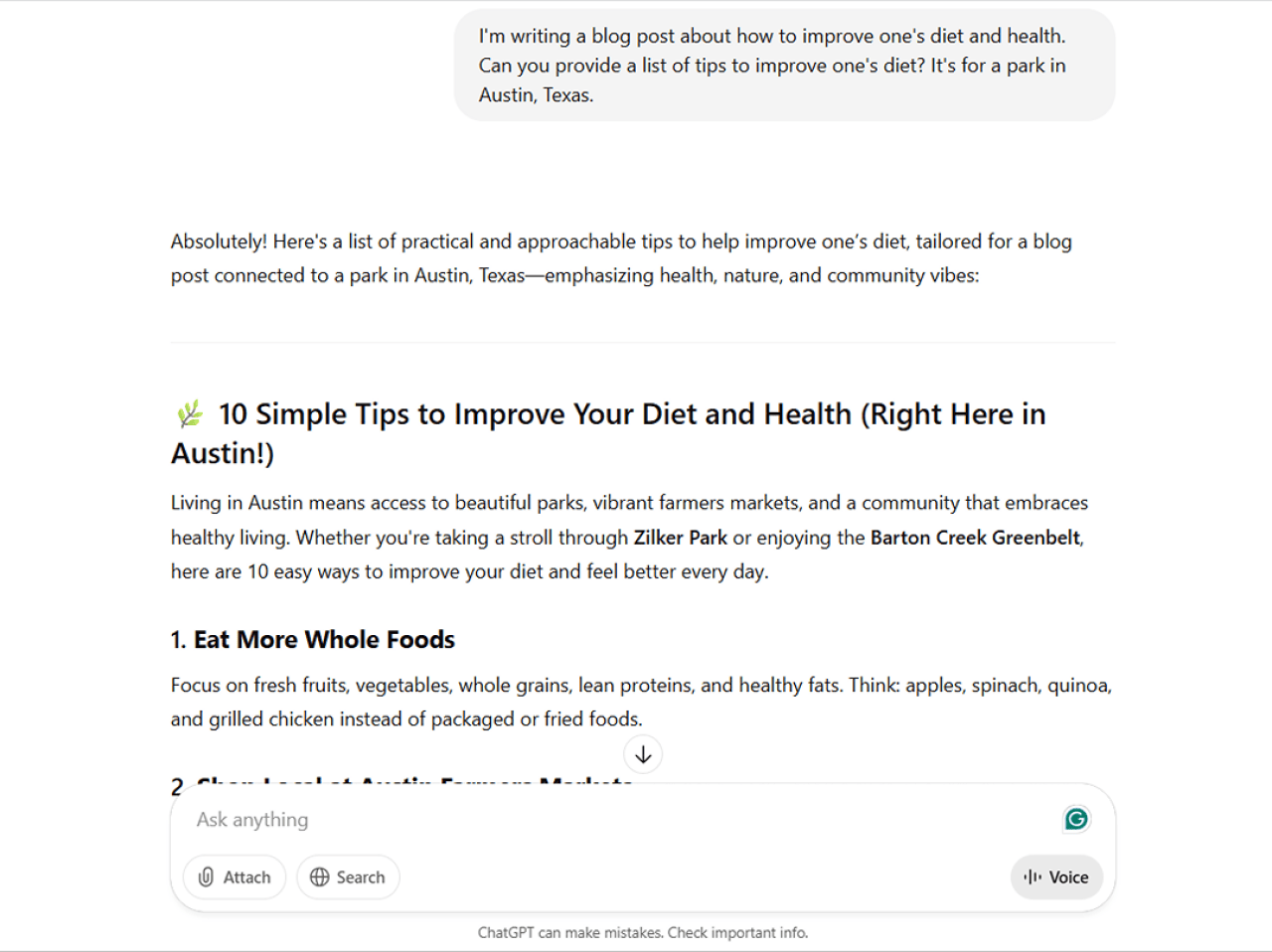
Addressing this ChatGPT limitation: ChatGPT may provide biased responses for several reasons, which is why human review of its output is necessary. Businesses using AI tools for processes can mitigate this by auditing systems and diversifying data sets.
3. Inability to understand context
ChatGPT uses advanced models that can process massive amounts of data. Despite this ability, it has a limited ability to understand context and subtle nuances.
In this ChatGPT example, it was tasked to analyze running training statistics for weeks. Let’s go through some of the finer details it missed throughout its analysis.
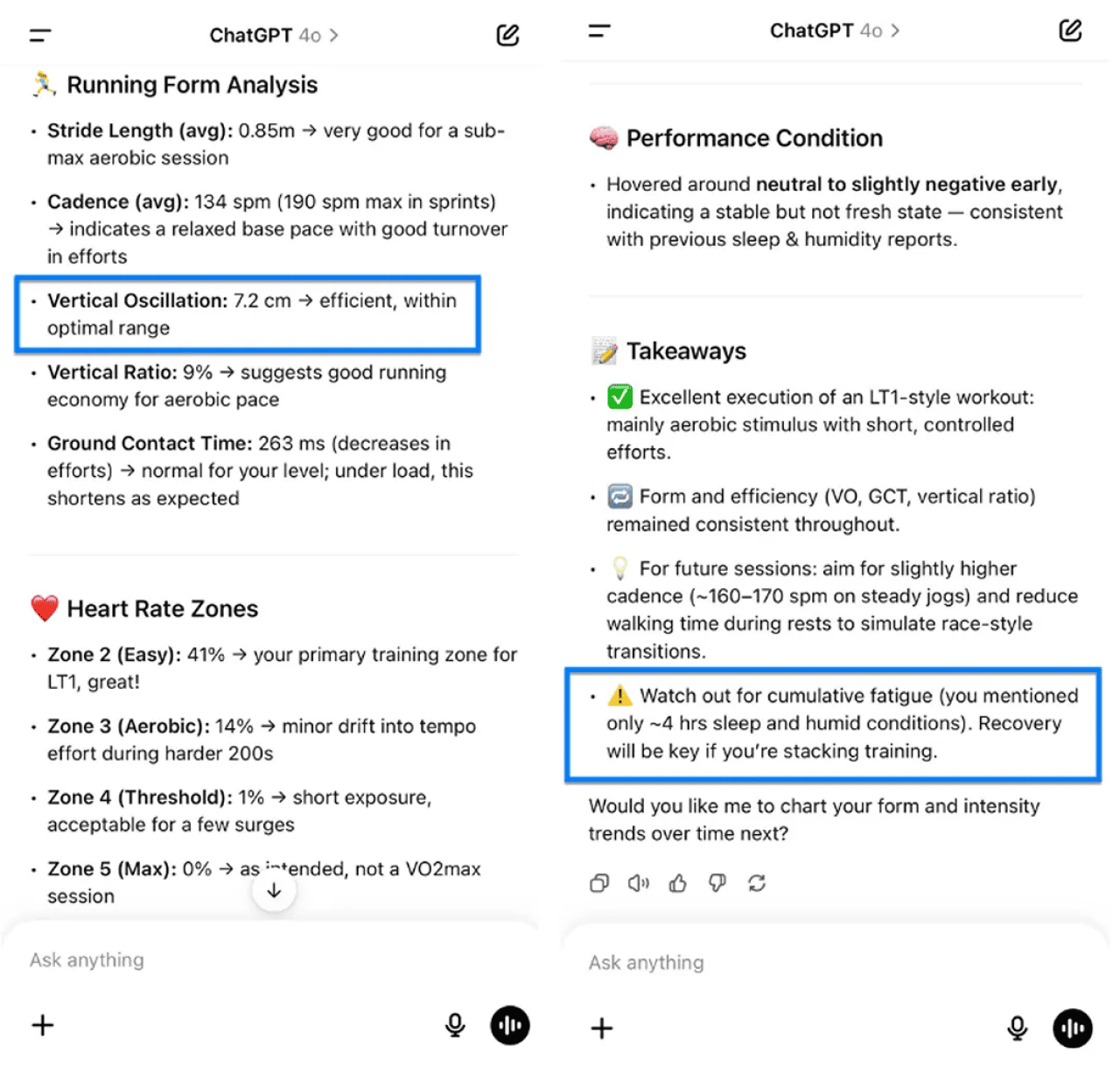
ChatGPT is fed the day’s training program, including the rest and walk segments. These walking segments skewed the running efficiency metrics because they showed efficient vertical movement. Despite having this information, ChatGPT concluded that the athlete was running efficiently.
At one point, ChatGPT also provided insights factoring in the athlete’s lack of sleep. But the sleep data was for a different day — again, ChatGPT didn’t recognize that it was analyzing a training session for another day.
Addressing this ChatGPT limitation: This ChatGPT example shows that human oversight and critical thinking skills remain necessary when using AI tools. When drawing out insights using ChatGPT for marketing, verifying output with analytics tools and professional judgment is standard practice.
This story was produced by WebFX and reviewed and distributed by Stacker.





(0) comments
Welcome to the discussion.
Log In
Keep it Clean. Please avoid obscene, vulgar, lewd, racist or sexually-oriented language.
PLEASE TURN OFF YOUR CAPS LOCK.
Don't Threaten. Threats of harming another person will not be tolerated.
Be Truthful. Don't knowingly lie about anyone or anything.
Be Nice. No racism, sexism or any sort of -ism that is degrading to another person.
Be Proactive. Use the 'Report' link on each comment to let us know of abusive posts.
Share with Us. We'd love to hear eyewitness accounts, the history behind an article.